No products in the cart.
- Home
- >
- Shop
- >
- HP Inkjet Printers
- >
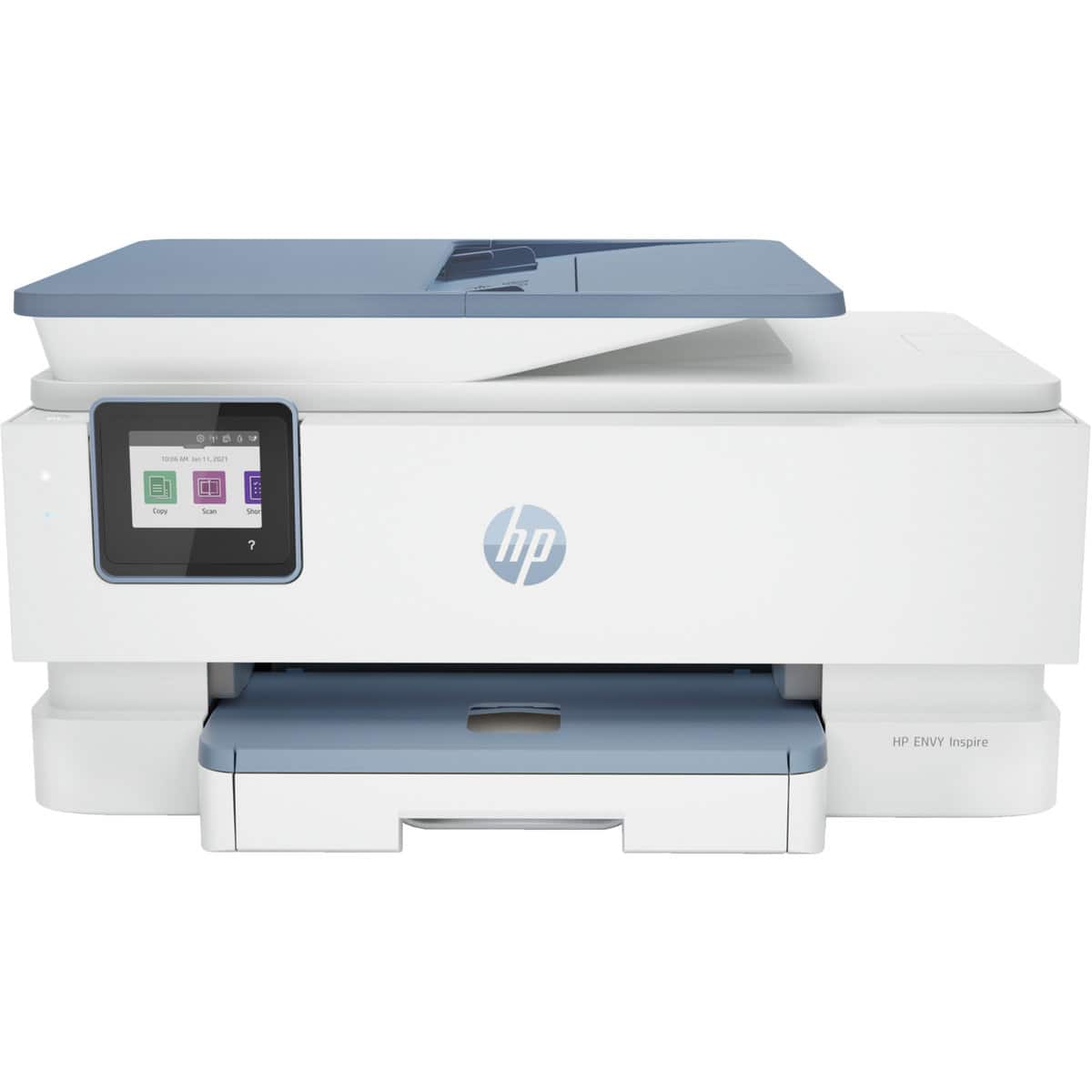
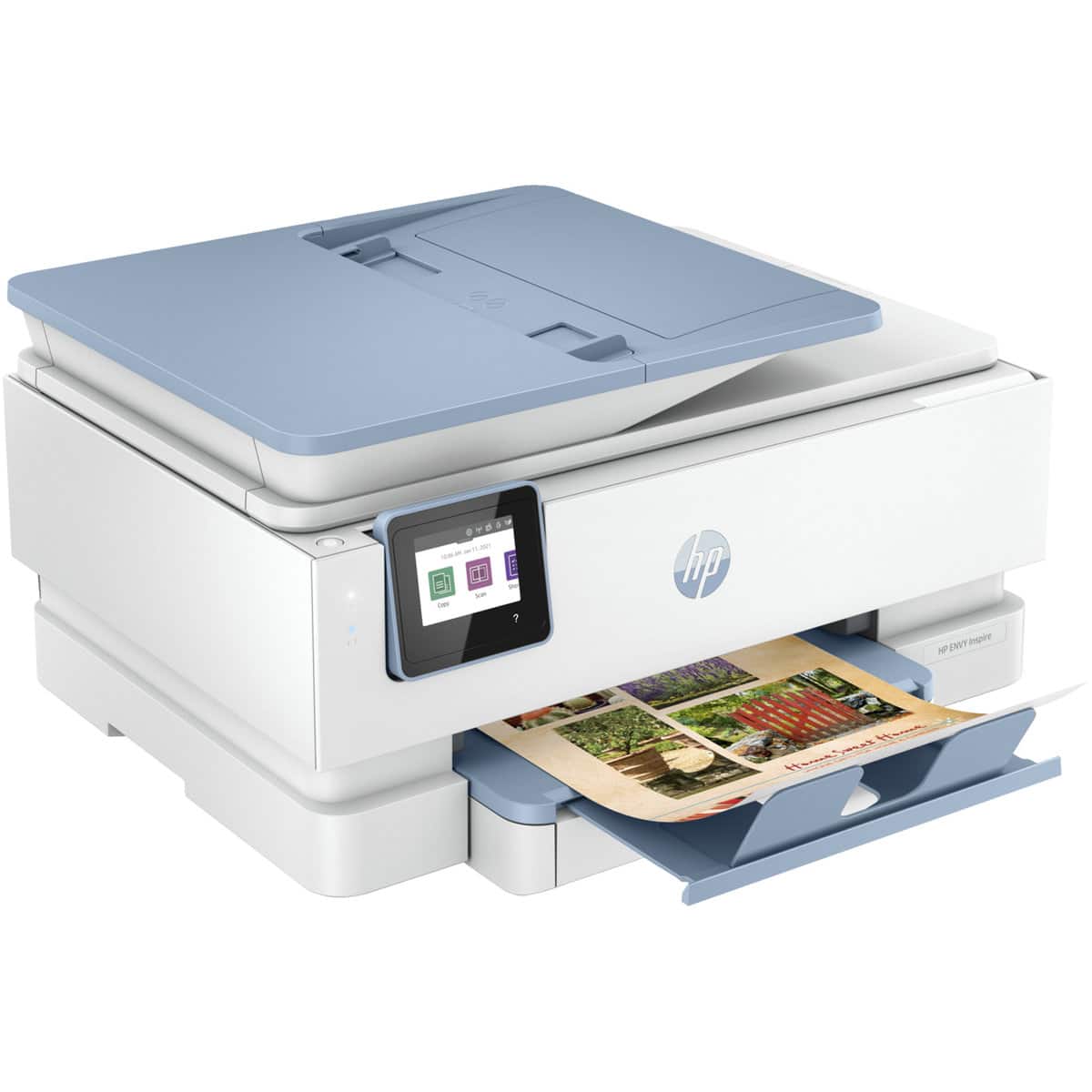
- HP ENVY Inspire 7921e Wireless A4 Colour All-in-One Inkjet Printer (HP+)

Discount Prices | Fast Delivery NZ-wide | Free Shipping for orders over $95
Excellent 4.9 out of 5



$224.00 incl GST
If you’re looking for a reasonably priced all-in-one solution with easy setup and good print quality, the HP ENVY Inspire 7921e could be just the ticket. But make sure to do your research and weigh up the costs before committing to HP+ or an Instant Ink subscription.
SOLD OUT

IN BRIEF
Brand: HP
Manufacturer’s Code: 2H2Q2D
Product Details: What do you want in a home printer? Chances are the HP ENVY Inspire 7921e has it. This reliable all-rounder is a step up from HP’s standard ENVY range without a big jump in price. While it’s designed to produce high-quality photos, you also get faster print, scan, and copy speeds.
The 7921e is intended for up to five users, and for printing up to 300-400 pages per month, with a maximum page yield of 1,000 pages. With its utilitarian design, the 7921e is by no means a looker. But wait, and don’t swipe right — it has other things going for it, including features you’d expect to get only from a more expensive device.
What you get includes double-sided printing, dual-band Wi-Fi, a 35-sheet automatic document feeder (ADF), a 125-sheet paper tray plus a dedicated tray for photo paper, and an articulating touchscreen LCD display for easy navigation. The 7921e will print on various media including plain paper, photo paper, envelopes, and labels, and yes, you can print directly from your mobile device via Apple AirPrint, Mopria, or the HP Smart app.
To top it all off, the ENVY Inspire 7921e also prints detailed, brilliantly-coloured images and sharp, professional-looking documents.
You have the option to sign up for HP+ when you set up this printer. You don’t have to join HP+ of course, but it may look tempting. You get an extra year of warranty and full use of the HP Smart app, for one thing. And you get a complimentary three months of Instant Ink, with free ink once the ink included with your printer has run out.
If you’ve not heard of Instant Ink, it’s HP’s ink and toner order and delivery service. It’s a convenient option if you find you are always running out of ink just when you’ve got some important documents to print. Your printer orders the ink for you when it runs low and it’s delivered directly to you. You pay a monthly subscription based on the number of pages you expect to print, starting at $1.99 a month.
If you sign up for HP+, your printer becomes a contract printer and there is no going back — for the lifetime of the printer, it will only work with HP ink cartridges that include a genuine HP microchip. If you don’t want HP+ but wish to try out HP’s Instant Ink service, you can still sign up for Instant Ink and not HP+ (but of course you won’t get your first three months free).
There is a good reason why you might want to use Instant Ink or third-party ink. If you are using genuine HP ink cartridges, your printing costs can be high. The 7921e takes HP 804 (standard yield) or HP 804XL (high yield) ink cartridges: one black, one tri-colour. Because the colour inks are not separate you may have to replace the tri-colour cartridge even though only one of the colours has run out. Given the relatively high cost and low page yields of genuine ink cartridges, you will probably want to use third-party remanufactured high-yield cartridges. (Remanufactured cartridges have been recycled — cleaned up, fixed with new working parts, and filled with less expensive third-party ink.) Or you sign up for Instant Ink.
If you’re looking for a reasonably priced all-in-one solution with easy setup and good print quality, the HP ENVY Inspire 7921e could be just the ticket. But make sure to do your research and weigh up the costs before committing to HP+ or an Instant Ink subscription.
Features:
What’s in the box?
Specifications:
Click here to download the full spec sheet
Warranty:
12-Month Manufacturer’s Return to Base Warranty — sign up for HP+ and get 1 extra year of HP customer support (2 years total)
Payment Options:
We accept payment by Credit Card, Apple Pay, Google Pay and POLi Internet banking. Credit card payments are securely processed by Stripe using 256-bit SSL encryption to ensure your credit card details remain safe. No credit card information is stored on our site.
When to expect delivery:
Get your order fast! Place it before 2 pm Mon-Fri for same-day shipping from warehouses in Auckland, Wellington or Christchurch (excluding public holidays). Typically deliveries to major New Zealand towns and cities take 1 to 2 days, while it may take a day or two longer for rural areas. Delivery of oversized printers that are too heavy for normal courier delivery is done by Mainfreight and may take a little longer on occasions. You’ll be notified when your order has been dispatched and provided with a tracking number so you can monitor the progress of your order.
If you’re considering using compatible cartridges, here are some key points to keep in mind:
Warranty
Using compatible cartridges does not automatically void your printer’s warranty. Under NZ law, a manufacturer generally cannot deny a warranty claim unless the non-genuine consumable caused the fault. For peace of mind, we stand by our products: if a cartridge supplied by Good Egg is proven to have damaged your printer, we will put it right. For more detailed information, read our full guide: Will Using Third-Party Ink Void My Printer Warranty?
Printer Firmware Updates
It’s no secret that printer manufacturers make their real profits from selling expensive genuine cartridges. To protect those profits, they often release automatic firmware updates designed to block compatible inks and toners.
We believe you should have the right to choose what goes into the printer you own - just like choosing which brand of fuel you put in your car.
How we handle it:
TIP: How to Protect Your Cartridges
The best way to ensure your cartridges keep working until they are actually empty is to disable Automatic Firmware Updates. If your printer receives an update while a compatible cartridge is installed, the manufacturer can "block" that cartridge instantly - even if it’s brand new.
How to turn off updates: Settings are usually found in the "Maintenance", "Setup", or "Service" menu on your printer’s screen. If you're stuck, just search online for your printer model + "how to turn off automatic updates" - it usually takes less than 30 seconds!
Order today and enjoy reliable everyday printing while saving money.
Add to cart now for fast NZ-wide shipping from Auckland.
Good Egg is a 100% NZ-owned and operated business.
Our promise to you: